About 18+
About us related questions an...
Account 3+
Account related questions and...
Agents 2+
Agents related questions and ...
Clients 1+
Clients related questions and...
Marketing 1+
Marketing related questions a...
Info & Support 2+
Information & Support related...
FAQs 2+
Frequently asked questions an...
Accounts 9+
G7Bill accounts related quest...
Company 1+
G7Bill company related questi...
Direct Debits 3+
G7Bill direct debits related ...
iSMS 3+
G7Bill iSMS related questions...
Marketing 5+
G7Bill marketing related ques...
Stores 2+
G7Bill stores related questio...
Support 5+
G7Bill support related questi...
Users 11+
G7Bill users related question...

How to create an event
Creating an Event Log in to G7Bill using your username and password. After logging in, you will be taken to the Dashboard. From the Dashboard, click Tools. Under Tools, click Events. Select Manage to open the list of existing event records. Click the Add New Record (Event) button...
How to generate a QR code for an event
Generating an Event QR Code 1. Log in to G7Bill using your username and password. 2. After logging in, you will be taken to the Dashboard. 3. From the Dashboard, click Tools. 4. Under Tools, click Events. 5. Select Manage to open the list of existing event records. 6. Locate the event for whi...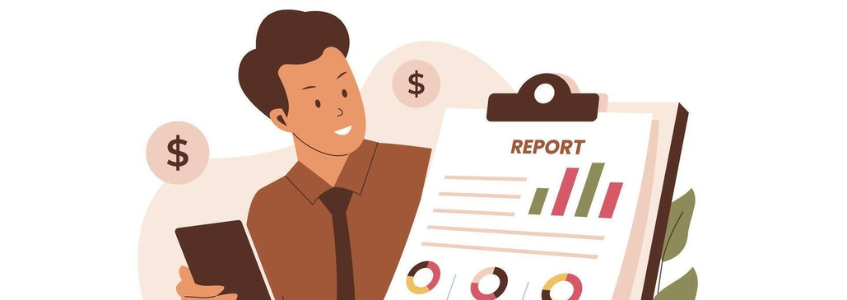
How to generate Attendance report for an event
Generating an Attendance Report for an Event 1. Log in to G7Bill using your username and password. 2. After logging in, you will be taken to the Dashboard. 3. From the Dashboard, click Tools. 4. Under Tools, click Events. 5. Select Manage to open the list of existing event records. 6. Locate ...
How to register for an external event
1. Open G7Bill and click Help and Info. 2. Select PAP. 3. Enter your email address, User ID, or phone number, then click Continue. 4. Enter your full name. 5. Enter your phone number. 6. Enter the name of the event you attended. 7. Select the date of the event. 8. Enter the number of hou...
How to Get a User's QR Code
1. Log in to G7Bill using your username and password. 2. After logging in, you will be taken to the Dashboard. 3. Search for the user by entering their name, User ID, email address, or phone number in the search field. 4. Identify the correct user from the search results. 5. Click the drop d...
About The Great Seven
G7Bill offers a complete billing solution for your business. From managing invoices to sending payment reminders to getting paid online, G7Bill supports all the features required to manage your billing online. Let us do the hard work so you don't have to with full payment processing and billing auto...
How to add an Article
Here you can be able to view, edit and add knowledge base articles and part of the details include title of the knowledge base article, the hits, likes, category of the article, status of the knowledge base article, that is whether the article is active or suspended among other details.
How to generate a report in G7BILL System.
Navigate to the admin dashboard Click Stores Report Download Click Add new record (+) Select Orders under name of report Assign time period of the records needed Save Expand saved record and download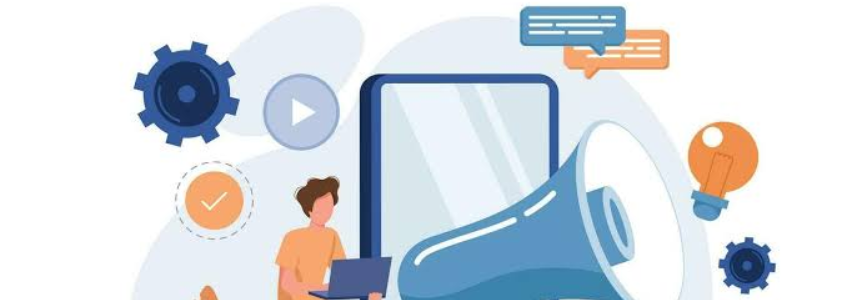
How to add a pop up marketing adverts.
Navigate to the admin dashboard Click Marketing Pop-ups Manage Click Add new record (+) Assign name of the pop up/advert. Add advertisement start date. Add advertisement expiry date. Add the url/link where you would want the advert to appear for example home page url. Upload edited pictur...
Is there a trial period and how do I sign up?
There's a 30 day free trial period. Just enter your name, email address and choose a password and you're good to go - we don't ask for your payment details for trial. Choose your right plan here.- What is Priority Support?
- Priority Support is available to customers on the Business license tier and allows jumping to the front of the queue in addition to priority escalation. * Priority Support incurs addit...
- Invoice Management
- An invoice is a commercial document that is issued by a seller to a buyer, relating to a sale transaction and indicates the products or services, their quantities and the agreed prices th...
- What happens if I exceed my client limit?
- We'll notify you when that happens and unless you opt-out, we'll upgrade you automatically for uninterrupted operation.
- How do I make sure my data is secure in G7Bill online?
- When you use G7Bill online, your data is stored on our servers in the cloud. We know that data is one of your company's most valuable assets, so we go to great lengths to protect it.
- Is there a trial period and how do I sign up?
- There's a 30 day free trial period. Just enter your name, email address and choose a password and you're good to go - we don't ask for your payment details for trial. Choose your right plan...